Currently Selected Groups (Analyzer)
The Currently Selected Groups panel provides the ability to specify which groups, as well as which sites within each group, can be used to filter and view sales and transactional data.
Important: Users can only view sites which their user account is configured to access. If a user can't view or access a site here, they should request access from a user with administrative access.
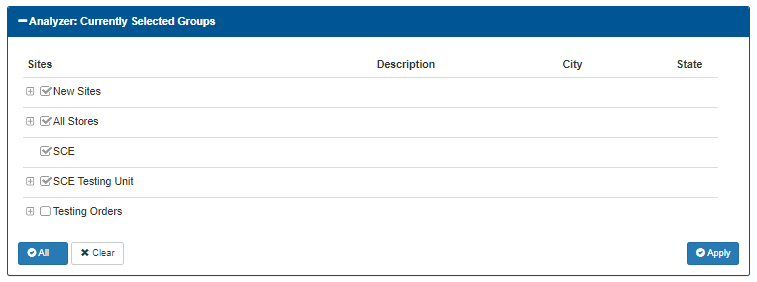
Groups List
The groups list is organized in a table.
Sites
The Sites column provides a list of all site groups. Groups with multiple sites can be expanded by selected the + (plus) function.
Description
The Description column provides a description of the group, if configured.
City
The City column provides the site or group city, if configured.
State
The State column provides the site or group state, if configured.
Select Functions
A select All function and a Clear all function are available to make group configuration more efficient.
All
The All function selects all un-selected groups.
Clear
The All function selects all un-selected groups.
Apply
The Apply function provides the ability to save any changes that were made to a group or groups.
Updated: 042726