Forecaster (Analyzer)
The Forecaster panel provides a 1-week weather forecast for an entered zip code. Additionally, it can retrieve past weather conditions. Sites can use this information to help guide and manage decisions around marketing campaigns, schedule service projects, and review weather conditions for high and low sales periods.
Note: The city, state, and zip code in the top right corner are configured by DRB when the system is installed. To change it, contact DRB.
Date Selection
The Date Selection setting provides the ability to specify the day, week, or month for which to display weather. There are six options.
- Today
- Yesterday
- This Week
- This Month
- Last Month
- Calendar Selection
Show Me Weather for Zip Code
The Show Me Weather for Zip Code setting provides the ability to view the weather for a specific zip code.
Get Weather
The Get Weather function retrieves and displays the weather for the configured Date Selection and Zip Code.
View
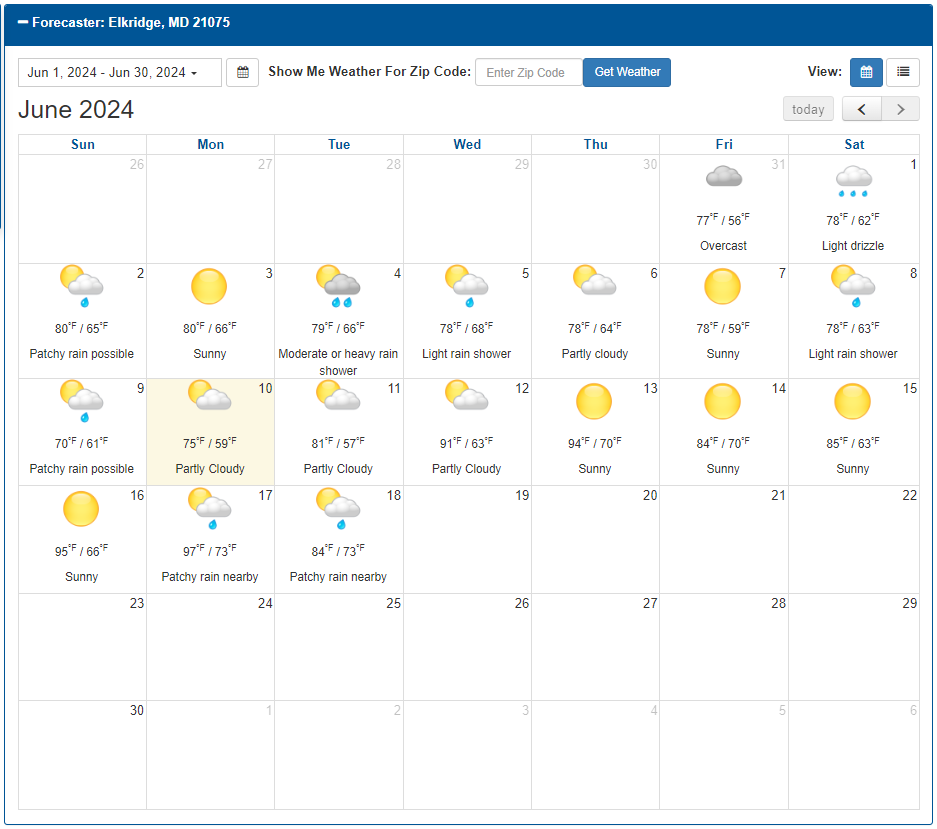
The View setting provides the ability to display the calendar in month format or list format.
Important: The view settings don't provide identical weather data.
Monthly
The Monthly view provides the following weather data:
- Date
- Weather Conditions
- Temperature Range
Navigation Functions
The Monthly view includes the following navigation functions.
today
The today navigation function opens the current day.'s month.
Go Back
The Go Back function opens the prior month.
Go Forward
The Go Forward function advances the month to the following month. It is disabled if the current month is open.
List
The List view provides the following weather data:
- Date
- Weather Conditions
- Temperature Range
- Precipitation
- Wind
- Humidity
Updated: 042726