Add a New Alert Notification
Use the following steps to add a new alert notification:
Tools Required
Steps
To create a new alert:
- Go to Tools then select Notifier.
- To add a new alert, click Add New at the top of the frame.
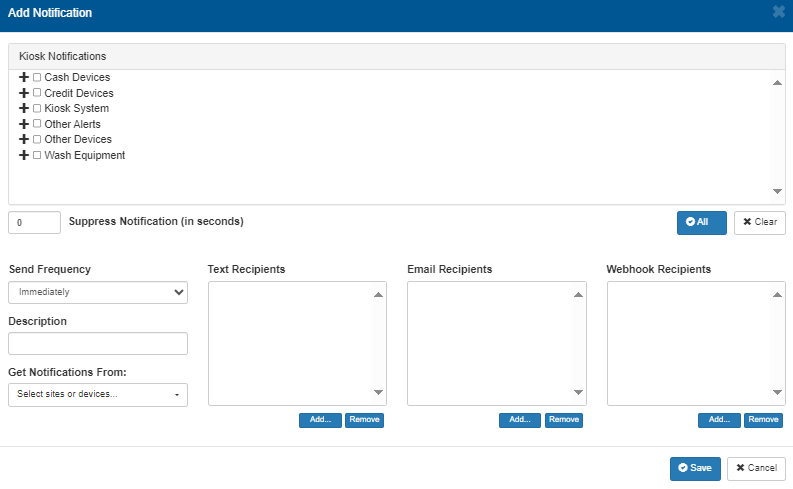
- Select the component and its corresponding alerts from the list.
- Select the frequency you wish to receive the alert.
- Enter a description for the alert.
- Enter the text recipients.
- Enter the email, text, or webhook recipient(s).
- Select Save.
Updated:: 040126