Log In to DirectorX
Use the steps in this topic to log in to DirectorX. When a user is created in DirectorX by an admin, DirectorX will send an invitation email to the address entered for the user. This invitation will help the user finalize their account and enable them to turn it on. The user must open the link in the email, which navigates to a password creation webpage, where they will be required to create a password (must contain one uppercase character, one number and one special character). This completes the account creation, and the user can then create . The email confirmation must be used within 24 hours, or the email link will expire, and the account will need to be re-created.
See also: Log Off DirectorX
Tools Required
- Organization client code (provided in the invitation email).
- User's email address.
- User's password.
Steps
- Open a web browser.
- Open the DirectorX log in page.
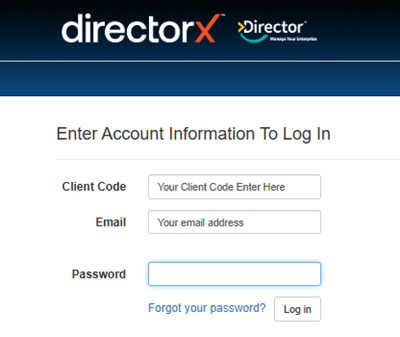
- In Client Code, enter the unique code assigned to the organization.
- In Email, enter the user’s email address.
- In Password, enter the user’s password.
- Select Log In. The page closes and DirectorX opens the Analyzer panel.
Updated: 042726