Reports (Marketing)
The Report Criteria panel provides the ability to generate accounts reports for activation, summary, usage and fleet. Note that these reports require the Enhanced Marketing Package, which provides support for house accounts and gift cards. Organizations without this do not have access to these reports. However, standard reports (accounting, payments, revenue, etc.) are available from Reporter (Enterprise).
See also: Generate a Marketing Report and Schedule a Report to Generate and Send
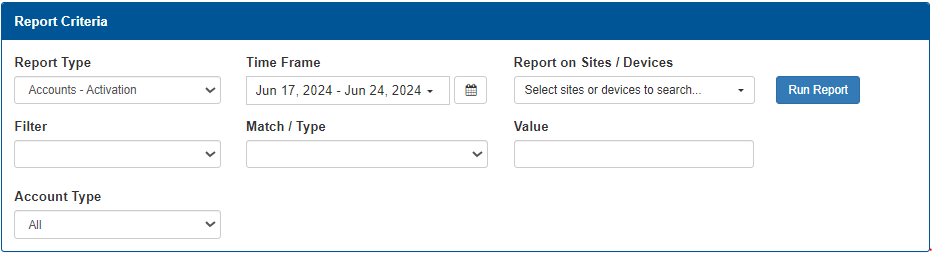
Report Parameters
The report parameters provide the ability to customize the data on an accounts report.
Report Type
The Report Type parameter specifies the accounts report to generate. There are 4 accounts report types. The Accounts - Activation report type is selected by default.
- Accounts - Activation
- Accounts - Summary
- Accounts - Usage
- Accounts - Fleet
This parameter is required to generate a report.
Time Frame
The Time Frame parameter provides the ability to generate a report for a specific date range. The current date range is selected by default.
This parameter is required to generate a report.
Report on Sites / Devices
The Report on Sites / Devices parameter provides the ability to generate a report for specific site(s) and/or device(s).
This parameter is optional.
Filter
The Filter parameter provides the ability to generate a report for a specific account number or account type.
This parameter is optional.
Match / Type
The Match / Type, select a match or type for the report.
This parameter is optional.
Value
The Value, enter the Match / Type search parameters for the report.
This parameter is optional.
Account Type
The Account Type parameter provides the ability to generate a report for a specific type of account.
This parameter is optional.
Run Report
The Run Report function generates a marketing report based on the selected report criteria, and displays it below the report criteria in a Report Results section.
Updated: 042726