Add a Group
Use the steps below to add a new group for a site, select sites, or all sites.
Note: See Edit Site Information for steps to edit a site's information.
Tools Required
- The user performing these steps must have the Create Group (Organizer) permission.
Steps
- Log In to directorX.
- Select Enterprise. The Enterprise panel opens.
- Select Organizer. The Organizer panel opens.
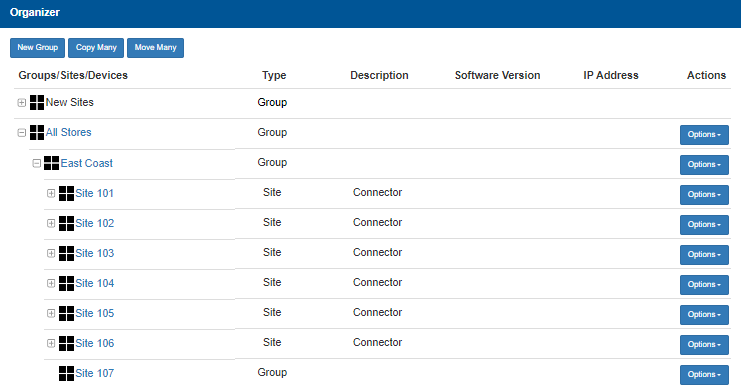
- Select New Group. The Add New Group dialog opens.
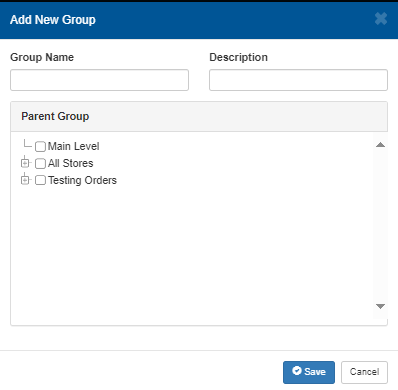
- In Group Name, enter the name of the new group.
- In Description, enter a small amount of text that describes the group.
- In Parent Group, select the existing group to which this group will belong.
- Select Save. The dialog closes and the new group is added.
Updated: 040126