Edit Site Information
Use the steps below to change the settings configured for an existing site in DirectorX. Sites are edited from the Organizer panel.
Note: DirectorX does not provide access to edit a site's name. Editing a site name requires access to SierraX and the site name programming permission. Alternatively, email DirectorSupport@DRB.com to request a site name change.
Tools Required
- User account with Admin permission.
Steps
- Log In to DirectorX.
- Select Enterprise>Organizer. The Organizer panel opens.
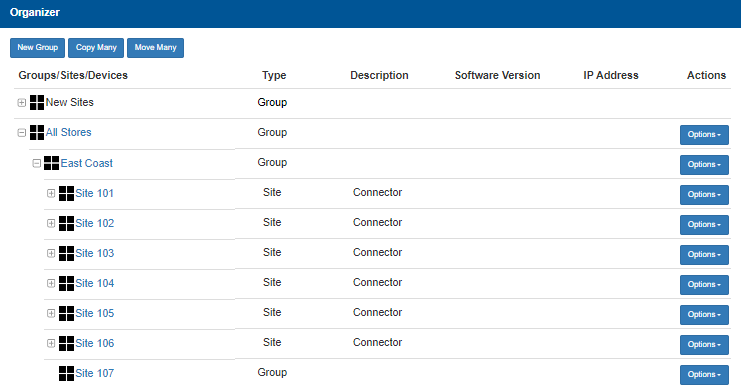
- Locate the site to edit.
- Under Actions, select Options for the corresponding site.
- Select Details.
- Update the site's configuration.
- Select Save.
Updated:: 042726