Edit an Existing Account
Use the steps in this topic to edit an existing account in DirectorX:
Warning: Deleting an account or user also deletes its corresponding historical data, which can't be recovered or restored. Sites should set an account or user's status to off, rather than delete it.
See also: Create an Account Program Template and Delete an Existing Account
Tools Required
- DirectorX user account with access to the Account Manager panel.
Steps
- Log In to DirectorX
- Select Marketing.
- Select Accounts.
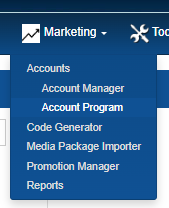
- Select Account Manager. The Accounts panel opens.
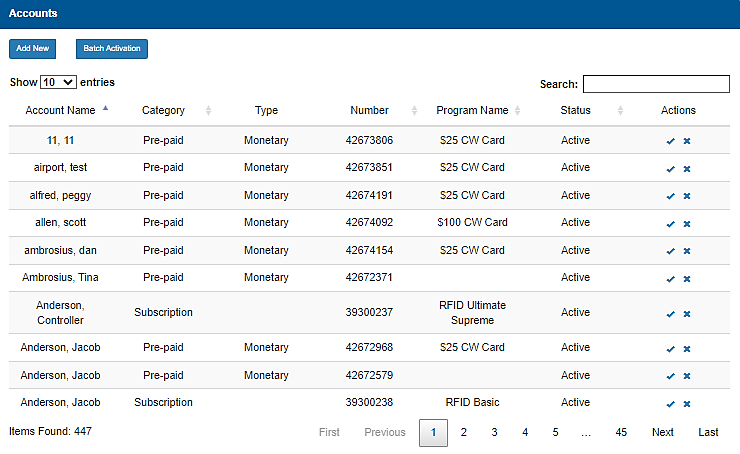
- Locate the account to edit. Organizations with many accounts can use the Search tool to locate the account.
- Under Actions, select the edit function. The Edit your Account panel opens.
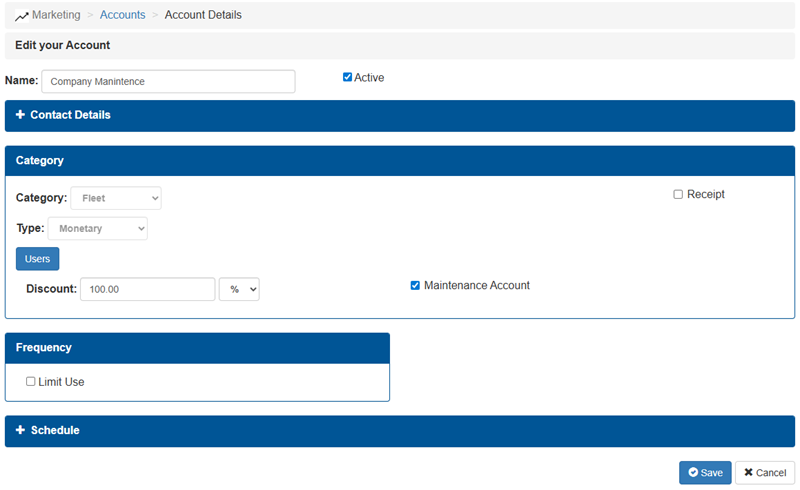
- Edit the setting(s) for the account.
- Select Save. The changes are saved.
Updated: 042726